
I built Invoicer because I needed to invoice my own clients. The tools I tried either asked me to pay for an accounting suite or left me with a document I didn’t want to send. I wanted a Mac app that could take me from a job I’d finished to an invoice I was happy to put my name on. Invoicer case study
That gave the project a finish line I could see. I could open the exported invoice, check it against the work I’d done, and picture it in my client’s inbox. When you’re deciding how to scope a side project, look for a result that can leave the app and do its job in someone’s day.
Draw the Boundary Around One Invoice
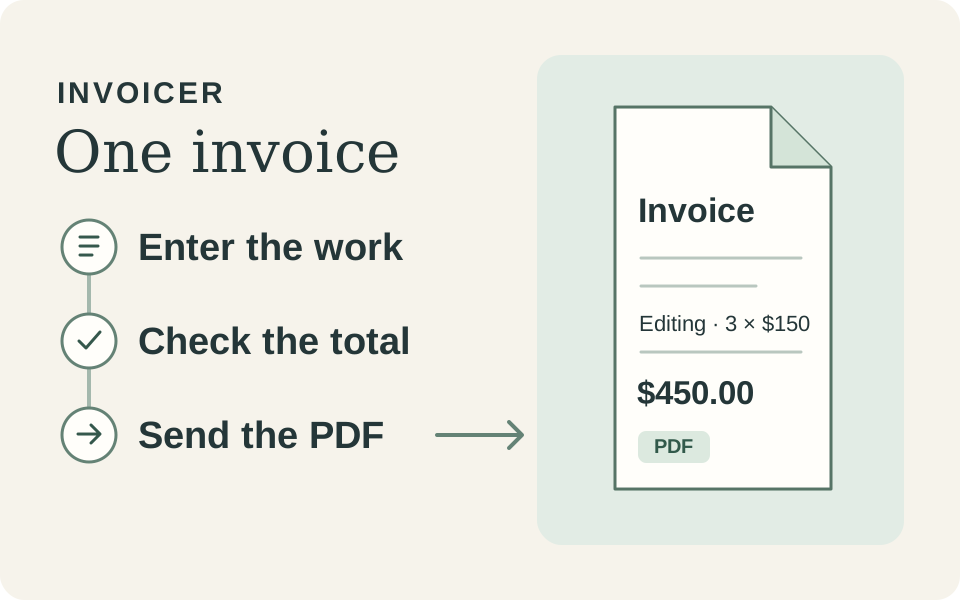
For Invoicer, the smallest complete path is straightforward. A freelancer selects a client, enters the work and rates, checks the total, and exports a PDF they can send. The invoice editor is one part of that path. The PDF is what the client will actually use to understand the bill.
Finish line: A freelancer can turn a completed job into a client-ready PDF invoice with the right client, line items, total, and payment terms.
That gives every proposed feature a test. A client record helps complete the invoice. Recurring billing serves a different job, so it can wait while the basic invoice path earns its place. Write down deferred ideas with the user need each would solve. The list is easier to review once you’ve seen where the completed path still creates work.
Test the Part That Leaves the App
An invoice can look right in a preview and still fail its reader. Open the actual PDF in a separate viewer. Check that a long line item wraps, the total survives a page break, and the payment terms are easy to find. Try a failed export and check whether you can retry with the invoice intact. Those are acceptance checks for the slice because they determine whether the result is usable.
Invoicer’s release history shows why the export deserves its own attention. One update improved how invoices break across PDF pages. A later release rebuilt the export engine. Both changes invested in the original job of getting a useful document to a client. Invoicer release history
Let Other People’s Invoices Change the Scope
My own billing gave me a real problem to build around. Feedback from people using Invoicer surfaced a requirement I hadn’t designed around. Some customers needed a different currency for each client and fields for tax IDs or VAT numbers. Those details affected whether the finished invoice fit the business sending it. What Invoicer users needed next
Preferred currency per client and tax ID fields made the same job work in more situations. That’s how I judge whether a request belongs in the next version. A recurring problem with the core result earns a closer look. An idea that takes the project into a different workflow needs evidence of its own.
Write the Finish Line Before You Build
Name one person, one job, and one result they can use outside the interface. Define how you’ll check that result, including what happens when the last step fails. For Invoicer, the test comes when a freelancer opens the exported PDF and can send it to a client with confidence.
Once the result works, use it in real conditions and ask others where it still leaves them doing work by hand. Those answers give you a basis for deciding whether to deepen the slice or take on another job.