
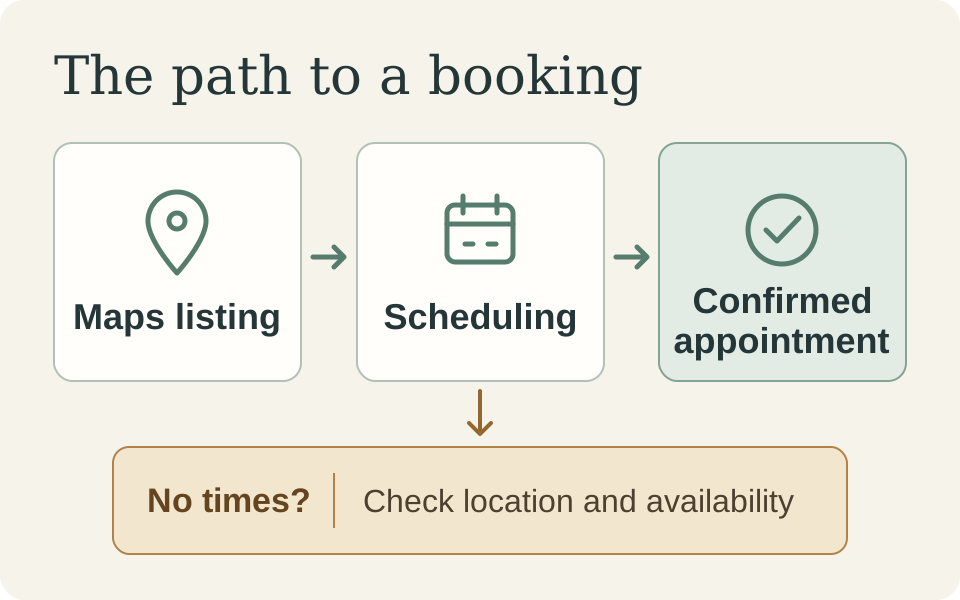
A team wanted better conversion reporting for a multi-location service website. They needed to know which visits turned into calls, requests, and booked appointments. Some location listings gave customers no dependable link back to the site, and several service pages ended without a clear next step. Before the team could explain a conversion rate, it had to see whether a customer could make an appointment in the first place.
Start by walking one route from entry to confirmed booking. Capture what happens today, fix the first handoff that breaks, and add enough conversion tracking to decide what to improve next. That sequence gives the dashboard a job.
Define What Counts as a Booking
For this journey, count a conversion when the scheduling system confirms an appointment for the requested service at a specific location. A tap on Book an appointment shows intent. A form acknowledgment shows that the website accepted a request. The scheduling record tells you whether a date and time were confirmed. Attendance and service delivery happen later and answer different questions.
Use the same definition across design, analytics, and operations. A conversion dashboard gets hard to trust when one team counts requests and another counts appointments under the same label.
Walk One Customer Path and Capture a Baseline
Take a customer who starts from a location listing in Maps on their phone. They want to know whether the location offers the right service and whether they can book it. Follow the listing to the location page, find the service, choose a time, and check the confirmation. Write down where the route breaks and what the customer sees at that moment.
Capture what you already have before changing the route. Save a dated record of the mobile walkthrough and any recurring support questions. Pull recent booking requests and confirmed appointments for that service and location. Record the sources, date range, and any changes in appointment availability. If the site has no reliable count of booking starts, record the gap. That gives the team a baseline it can explain, even when part of it is qualitative.
Repair the Handoff Where Customers Get Stuck
Suppose the Maps listing takes a customer to a generic service page. The page describes the service, but the booking link sends them to a scheduler that asks them to pick a location again. The customer has to reconstruct a choice they made before they arrived.
A focused repair would link the listing to the correct location page, show the services offered there, and carry the selected service and location into scheduling. Keep both visible so customers can correct either choice. If that location has no openings, show the next available date or a way to try another location. After booking, confirm the time, address, and rescheduling options. For a request that still needs staff review, explain when the customer should expect a reply. The confirmation should answer what the customer needs to know next. Good Product Design Answers the Next Question
Track Signals That Can Change a Decision
Give each event a question it can help answer. A booking-start event can show whether visitors on the location page find a way into scheduling. An availability result can show whether the scheduler returned any bookable times. A confirmed appointment records the booking itself. Use the point where people stop to choose what to inspect. If booking starts hold steady while more sessions return no times, walk the scheduler with the same service and location. Check whether the selected location carried through and whether staff actually had appointment slots available. Those findings send the team toward different fixes.
Dashboard question: Can people who start booking for this service and location find an available time and get a confirmed appointment?
Evidence to review: Compare booking sessions, sessions that returned no times, and confirmed appointments for that service and location over comparable periods.
Confirmed appointments may live in a separate scheduling system. If the website and scheduler can be linked reliably and with the right privacy controls, measure the share of website booking sessions that lead to a confirmed appointment. Agree on how long to count a later confirmation so the rate means the same thing each week. If you can’t link the records, report website starts and scheduler totals as separate counts. The scheduler total may include appointments made by phone or in person. The Signals That Tell You Design Is Working
Give Each Handoff an Owner
Agree on the booking definition and baseline in the same review where you walk the route. Design and engineering can own the handoff from the location page into scheduling. Operations can check that available times and confirmations match what staff can deliver. Analytics can document which steps the team can measure and where the data ends.
At the first review after release, walk the same route again and compare the evidence. The first dashboard should help the team decide which handoff to inspect next.